


• Wasp AssetCloud is barcode asset tracking software that helps organisations track fixed assets, tools, IT equipment and other valuable items.
    • Know what assets you own, where they are and who has them
    • Check assets in and out using barcode scanners
    • Perform faster physical asset audits
    • Track locations, departments, users, serial numbers and due dates
    • Manage reports, maintenance, warranties and asset history
    • Cloud-based and on-premise options available
    • Australian sales, system advice and local support

    Track n Trace Solutions can provide a complete asset tracking system, including AssetCloud software, PDA Barcode scanners, Asset Barcode Printers and durable Asset labels.

Wasp AssetCloud Asset Tracking Software

Description

What Is Wasp AssetCloud?

Wasp AssetCloud is asset management and barcode tracking software designed to help organisations accurately manage fixed assets, tools and equipment.

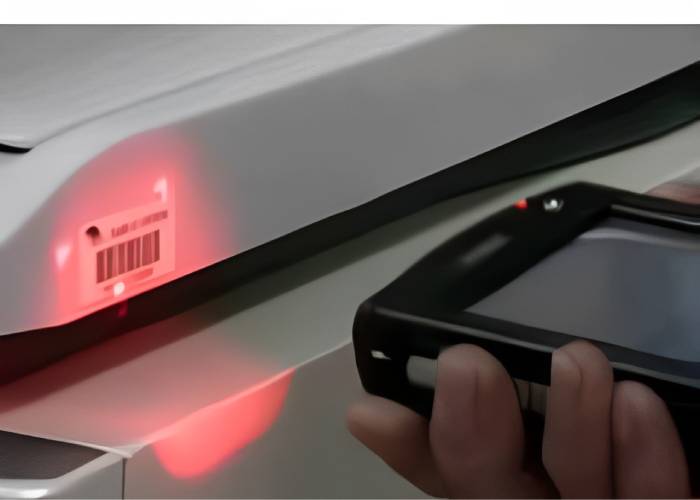
The software creates a central asset register showing what your organisation owns, where each asset is located, who has it and its current status. Barcode labels and mobile scanners make it faster to record asset movements, complete audits and check equipment in or out.

AssetCloud can help replace spreadsheets, paper-based registers and manual record keeping with a more accurate and accountable asset tracking system.

Know What You Own, Where It Is and Who Has It

Locating equipment should not require searching through spreadsheets, storerooms or paperwork.

Wasp AssetCloud gives authorised users access to important asset information from one central system. Each asset can have its own record containing information such as:

  • Asset number and description

  • Barcode or asset tag number

  • Serial number

  • Site, location and department

  • Assigned employee, customer or other user

  • Purchase date and purchase cost

  • Supplier and purchase order details

  • Warranty and service information

  • Asset condition and current status

  • Check-in and check-out history

  • Maintenance history

  • Attached photographs, invoices, manuals and documents

  • Depreciation and book-value information

This provides better visibility and accountability throughout an asset’s lifecycle—from purchase and assignment through to maintenance, return and disposal.

How Does Barcode Asset Tracking Work?

A barcode asset tracking system gives every asset a unique identity.

1. Tag the asset

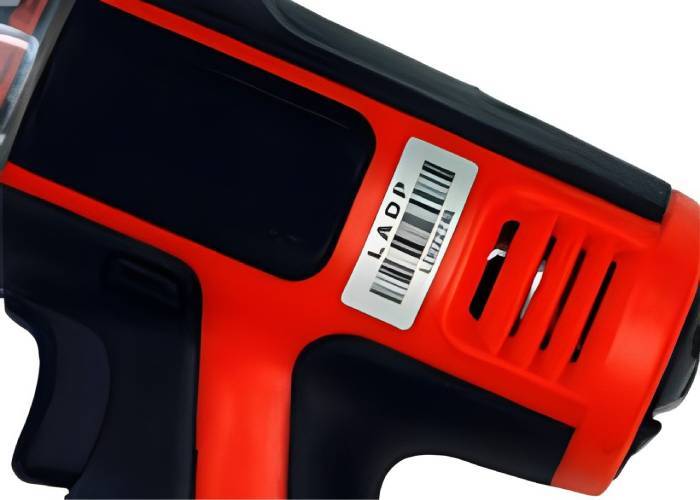
Attach a durable barcode label or asset tag to each item that needs to be tracked.

2. Scan the barcode

Use a compatible mobile computer, barcode scanner or supported mobile device to identify the asset.

3. Record the activity

Update the asset’s location, assignment, status or audit record without manually typing its asset number.

4. View the asset history

AssetCloud maintains a central record of asset movements and transactions, helping your organisation determine where an item is and who is responsible for it.

This process can significantly reduce manual data entry and the errors commonly associated with paper records and spreadsheets.

What Can You Track With AssetCloud?

Wasp AssetCloud can be configured to track many types of fixed assets and valuable equipment, including:

  • Tools and workshop equipment

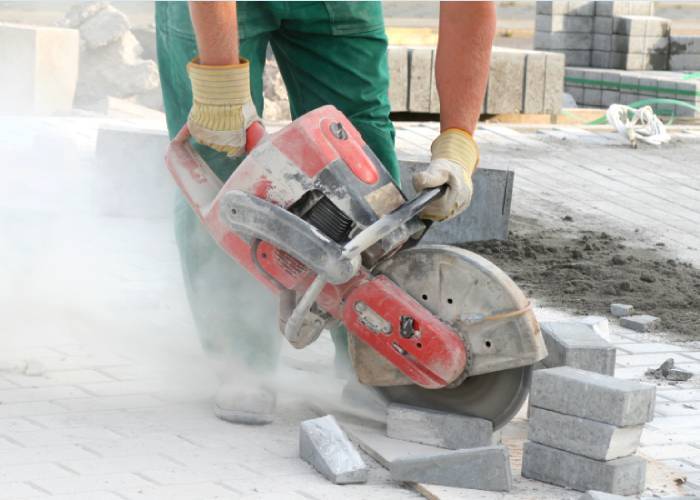
  • Machinery and production equipment

  • Computers, laptops and monitors

  • Mobile phones and tablets

  • Barcode scanners and printers

  • Test and measuring equipment

  • Medical and healthcare equipment

  • School and university equipment

  • Office furniture and appliances

  • Vehicles and mobile equipment

  • Safety and emergency equipment

  • Files, records and other accountable items

Custom fields allow organisations to capture information that is relevant to their own assets, processes and reporting requirements.

Check Assets In and Out

AssetCloud allows assets to be checked out to employees, customers, students, vendors or other authorised users.

The system can record who received an asset, when it was issued and when it is expected to be returned. When the item comes back, it can be checked in and made available for reassignment.

Check-in and check-out tracking can help organisations:

  • Establish responsibility for issued equipment

  • Identify overdue or unreturned assets

  • Reduce misplaced tools and equipment

  • Maintain an accurate assignment history

  • Improve equipment availability

  • Avoid unnecessary replacement purchases

This is particularly useful for shared tools, portable equipment, loan devices and assets that regularly move between people or locations.

Complete Faster Fixed-Asset Audits

Physical asset audits are important for verifying that the information in your fixed asset register matches the equipment you actually have.

Instead of checking assets manually from a printed list, users can scan barcode labels at each site or location. AssetCloud records the audit activity and helps identify assets that are present, missing, moved or potentially recorded incorrectly.

Barcode asset audits can help your organisation:

  • Verify asset locations

  • Identify missing or unrecorded equipment

  • Find assets assigned to the wrong location

  • Improve the accuracy of financial records

  • Maintain an audit trail of asset transactions

  • Reconcile discrepancies before completing an audit

AssetCloud supports mobile auditing, allowing users to collect asset information where the equipment is located.

Create Reports and Automated Notifications

AssetCloud includes reporting tools that turn asset records into useful operational information.

Standard reports can provide visibility across areas such as asset locations, assignments, transaction history, audits and contracts. Depending on the selected AssetCloud edition, users may also be able to design custom reports and schedule them for automatic distribution.

Notifications can alert selected users about important events, including overdue equipment, upcoming due dates, audit requirements and other asset-related activities.

These capabilities help managers identify problems earlier and make better-informed decisions about asset use, maintenance and replacement.

Manage Maintenance and Work Orders

AssetCloud can help organisations maintain equipment as well as locate it.

Maintenance activities can be associated with individual assets, creating a record of completed and outstanding work. Work orders can be assigned to responsible users and can include one or multiple assets and tasks.

This can be used for equipment such as:

  • Machinery

  • Vehicles

  • Tools

  • Test equipment

  • Fire extinguishers

  • Safety equipment

  • Facilities and operational assets

Keeping maintenance information with the asset record provides a clearer view of service history, asset condition and ongoing responsibilities.

Feature availability can vary between AssetCloud editions. Track n Trace Solutions can help you determine which option matches your requirements.

Create Barcode Asset Labels

AssetCloud includes tools for creating and printing barcode asset labels and employee badges.

Labels can contain a unique barcode together with information such as the asset number, organisation name or other identifying details. Custom label designs and advanced features may depend on the selected software edition.

Track n Trace Solutions can also supply compatible barcode printers, label materials and durable asset labels for different environments.

Import Existing Asset Register Data

If your organisation currently uses a spreadsheet or another fixed asset register, existing information may be imported into AssetCloud using its guided import tools.

Importing data can reduce the time required to establish a new asset management system and avoid manually entering every asset. Your data should still be reviewed and cleaned before import to ensure that asset numbers, descriptions, locations and other fields are consistent.

Mobile Asset Tracking

AssetCloud supports mobile asset-management workflows using compatible mobile computers and supported iOS or Android devices.

Mobile users can scan assets, update records, perform audits and complete check-in or check-out transactions away from a desk. Online and offline capabilities may be available depending on the application, device and selected AssetCloud edition.

For organisations performing regular audits or managing assets across multiple rooms, buildings or sites, a purpose-built mobile barcode scanner can provide faster and more reliable scanning than manual entry.

Cloud-Based Asset Management Software

Wasp AssetCloud provides cloud-based access to asset information for authorised users.

A cloud-based asset management system reduces the need to maintain the application on a local server and makes it easier for authorised staff to access current asset information from different locations.

Licensing, user numbers and available functions can vary between AssetCloud packages. Track n Trace Solutions can explain the current software options and help identify the appropriate configuration for your organisation.

A Complete Asset Tracking System

Successful asset tracking requires more than software alone. You also need suitable barcode labels, reliable scanning equipment and a practical process for registering, issuing, moving and auditing assets.

Track n Trace Solutions can provide a complete barcode asset tracking system comprising:

  • Wasp AssetCloud software

  • Mobile computers and PDA barcode scanners

  • Barcode printers

  • Durable barcode asset labels

  • Scanner and printer accessories

  • System advice and product selection

  • Australian sales and ongoing support

We can help match the hardware and labels to your working environment, asset types and scanning requirements.

Who Uses AssetCloud?

AssetCloud is suitable for businesses and organisations that need greater control over valuable, shared or mobile assets.

Typical users include:

  • Schools, universities and training organisations

  • Government departments and local councils

  • Construction and trade businesses

  • Manufacturing and engineering companies

  • Healthcare and community organisations

  • Warehouses and distribution facilities

  • Corporate IT and administration departments

  • Service, maintenance and field operations

  • Equipment-hire and loan departments

The system can be used by smaller organisations establishing their first barcode asset register or by departments within larger organisations requiring greater asset visibility and accountability.

Why Choose Track n Trace Solutions?

Track n Trace Solutions supplies barcode tracking systems to organisations throughout Australia.

We can help you select AssetCloud software, barcode scanners, barcode printers and asset labels that work together as one practical system. Our experience with barcode technology means we can consider the complete workflow—not only the software.

Contact us to discuss:

  • The assets you need to track

  • The number of users and locations

  • Your check-in and check-out requirements

  • Mobile scanning and audit requirements

  • Barcode label and printer selection

  • Available AssetCloud editions and licensing

  • Setup, data import and support requirements

Frequently Asked Questions

What is Wasp AssetCloud?

Wasp AssetCloud is asset management software used to create and maintain a central register of fixed assets, tools and equipment. It uses barcode labels and scanning to help record asset locations, assignments, audits, maintenance and transaction history.

Can AssetCloud replace a spreadsheet asset register?

Yes. Existing asset information can be imported into AssetCloud, allowing organisations to replace or improve a spreadsheet-based fixed asset register. AssetCloud adds barcode scanning, check-in and check-out, audit trails, reporting and other asset-management functions.

Can I use Excel to manage an asset register?

Excel may suit a small, basic asset list. However, it becomes difficult to manage when assets regularly move between employees or locations.

Asset management software uses a central database to link each asset with its assigned employee, location and movement history. This makes it easier to see where an asset is, who has it and where it has previously been.

Can AssetCloud track who has an asset?

Yes. Assets can be checked out to employees, customers, students, vendors or other users. The system records the assignment and can include an expected return date.

Can AssetCloud be used for fixed-asset audits?

Yes. Users can scan asset barcode labels during a physical audit and compare the results with the asset records held in AssetCloud. This helps identify missing, moved or incorrectly recorded assets.

Can AssetCloud track tools and equipment?

Yes. AssetCloud can track tools, machinery, test equipment, vehicles, safety equipment and other accountable assets. Track n Trace Solutions also has information available for organisations specifically looking for tool tracking software.

Can AssetCloud track computers and IT equipment?

Yes. AssetCloud can record computers, laptops, monitors, mobile devices, servers, printers and other IT hardware. It can track who equipment is assigned to, where it is located and its warranty, service and transaction history.

Does AssetCloud work with barcode scanners?

Yes. AssetCloud can be used with compatible barcode scanners, mobile computers and supported mobile devices. Track n Trace Solutions can help select scanning hardware suited to asset registration, check-in and check-out, and physical audits.

Can AssetCloud print barcode asset labels?

Yes. AssetCloud includes barcode-label printing capabilities. Available label-design features may vary by edition. A compatible barcode printer and suitable label material are also required.

Is AssetCloud the same as inventory management software?

Not exactly. Asset management software generally tracks durable items that an organisation owns and uses, such as equipment, tools and computers. Inventory management normally tracks stock, consumables or products that are sold or used. Some organisations require both asset and inventory tracking.

Is AssetCloud available in Australia?

Yes. Track n Trace Solutions supplies Wasp AssetCloud solutions, compatible barcode hardware and asset labels to Australian businesses and organisations. Contact us for current licensing, availability and support information.

Request an AssetCloud Quote

Talk to Track n Trace Solutions about your asset tracking requirements.

We can help you select the appropriate AssetCloud software, barcode scanners, barcode printers and asset labels for a complete fixed-asset tracking system.

Request a quote or download the Wasp AssetCloud brochure to learn more.

Wasp AssetCloud Asset Tracking Software

Specifications

What Is Wasp AssetCloud?

Wasp AssetCloud is asset management and barcode tracking software designed to help organisations accurately manage fixed assets, tools and equipment.

The software creates a central asset register showing what your organisation owns, where each asset is located, who has it and its current status. Barcode labels and mobile scanners make it faster to record asset movements, complete audits and check equipment in or out.

AssetCloud can help replace spreadsheets, paper-based registers and manual record keeping with a more accurate and accountable asset tracking system.

Know What You Own, Where It Is and Who Has It

Locating equipment should not require searching through spreadsheets, storerooms or paperwork.

Wasp AssetCloud gives authorised users access to important asset information from one central system. Each asset can have its own record containing information such as:

  • Asset number and description

  • Barcode or asset tag number

  • Serial number

  • Site, location and department

  • Assigned employee, customer or other user

  • Purchase date and purchase cost

  • Supplier and purchase order details

  • Warranty and service information

  • Asset condition and current status

  • Check-in and check-out history

  • Maintenance history

  • Attached photographs, invoices, manuals and documents

  • Depreciation and book-value information

This provides better visibility and accountability throughout an asset’s lifecycle—from purchase and assignment through to maintenance, return and disposal.

How Does Barcode Asset Tracking Work?

A barcode asset tracking system gives every asset a unique identity.

1. Tag the asset

Attach a durable barcode label or asset tag to each item that needs to be tracked.

2. Scan the barcode

Use a compatible mobile computer, barcode scanner or supported mobile device to identify the asset.

3. Record the activity

Update the asset’s location, assignment, status or audit record without manually typing its asset number.

4. View the asset history

AssetCloud maintains a central record of asset movements and transactions, helping your organisation determine where an item is and who is responsible for it.

This process can significantly reduce manual data entry and the errors commonly associated with paper records and spreadsheets.

What Can You Track With AssetCloud?

Wasp AssetCloud can be configured to track many types of fixed assets and valuable equipment, including:

  • Tools and workshop equipment

  • Machinery and production equipment

  • Computers, laptops and monitors

  • Mobile phones and tablets

  • Barcode scanners and printers

  • Test and measuring equipment

  • Medical and healthcare equipment

  • School and university equipment

  • Office furniture and appliances

  • Vehicles and mobile equipment

  • Safety and emergency equipment

  • Files, records and other accountable items

Custom fields allow organisations to capture information that is relevant to their own assets, processes and reporting requirements.

Check Assets In and Out

AssetCloud allows assets to be checked out to employees, customers, students, vendors or other authorised users.

The system can record who received an asset, when it was issued and when it is expected to be returned. When the item comes back, it can be checked in and made available for reassignment.

Check-in and check-out tracking can help organisations:

  • Establish responsibility for issued equipment

  • Identify overdue or unreturned assets

  • Reduce misplaced tools and equipment

  • Maintain an accurate assignment history

  • Improve equipment availability

  • Avoid unnecessary replacement purchases

This is particularly useful for shared tools, portable equipment, loan devices and assets that regularly move between people or locations.

Complete Faster Fixed-Asset Audits

Physical asset audits are important for verifying that the information in your fixed asset register matches the equipment you actually have.

Instead of checking assets manually from a printed list, users can scan barcode labels at each site or location. AssetCloud records the audit activity and helps identify assets that are present, missing, moved or potentially recorded incorrectly.

Barcode asset audits can help your organisation:

  • Verify asset locations

  • Identify missing or unrecorded equipment

  • Find assets assigned to the wrong location

  • Improve the accuracy of financial records

  • Maintain an audit trail of asset transactions

  • Reconcile discrepancies before completing an audit

AssetCloud supports mobile auditing, allowing users to collect asset information where the equipment is located.

Create Reports and Automated Notifications

AssetCloud includes reporting tools that turn asset records into useful operational information.

Standard reports can provide visibility across areas such as asset locations, assignments, transaction history, audits and contracts. Depending on the selected AssetCloud edition, users may also be able to design custom reports and schedule them for automatic distribution.

Notifications can alert selected users about important events, including overdue equipment, upcoming due dates, audit requirements and other asset-related activities.

These capabilities help managers identify problems earlier and make better-informed decisions about asset use, maintenance and replacement.

Manage Maintenance and Work Orders

AssetCloud can help organisations maintain equipment as well as locate it.

Maintenance activities can be associated with individual assets, creating a record of completed and outstanding work. Work orders can be assigned to responsible users and can include one or multiple assets and tasks.

This can be used for equipment such as:

  • Machinery

  • Vehicles

  • Tools

  • Test equipment

  • Fire extinguishers

  • Safety equipment

  • Facilities and operational assets

Keeping maintenance information with the asset record provides a clearer view of service history, asset condition and ongoing responsibilities.

Feature availability can vary between AssetCloud editions. Track n Trace Solutions can help you determine which option matches your requirements.

Create Barcode Asset Labels

AssetCloud includes tools for creating and printing barcode asset labels and employee badges.

Labels can contain a unique barcode together with information such as the asset number, organisation name or other identifying details. Custom label designs and advanced features may depend on the selected software edition.

Track n Trace Solutions can also supply compatible barcode printers, label materials and durable asset labels for different environments.

Import Existing Asset Register Data

If your organisation currently uses a spreadsheet or another fixed asset register, existing information may be imported into AssetCloud using its guided import tools.

Importing data can reduce the time required to establish a new asset management system and avoid manually entering every asset. Your data should still be reviewed and cleaned before import to ensure that asset numbers, descriptions, locations and other fields are consistent.

Mobile Asset Tracking

AssetCloud supports mobile asset-management workflows using compatible mobile computers and supported iOS or Android devices.

Mobile users can scan assets, update records, perform audits and complete check-in or check-out transactions away from a desk. Online and offline capabilities may be available depending on the application, device and selected AssetCloud edition.

For organisations performing regular audits or managing assets across multiple rooms, buildings or sites, a purpose-built mobile barcode scanner can provide faster and more reliable scanning than manual entry.

Cloud-Based Asset Management Software

Wasp AssetCloud provides cloud-based access to asset information for authorised users.

A cloud-based asset management system reduces the need to maintain the application on a local server and makes it easier for authorised staff to access current asset information from different locations.

Licensing, user numbers and available functions can vary between AssetCloud packages. Track n Trace Solutions can explain the current software options and help identify the appropriate configuration for your organisation.

A Complete Asset Tracking System

Successful asset tracking requires more than software alone. You also need suitable barcode labels, reliable scanning equipment and a practical process for registering, issuing, moving and auditing assets.

Track n Trace Solutions can provide a complete barcode asset tracking system comprising:

  • Wasp AssetCloud software

  • Mobile computers and PDA barcode scanners

  • Barcode printers

  • Durable barcode asset labels

  • Scanner and printer accessories

  • System advice and product selection

  • Australian sales and ongoing support

We can help match the hardware and labels to your working environment, asset types and scanning requirements.

Who Uses AssetCloud?

AssetCloud is suitable for businesses and organisations that need greater control over valuable, shared or mobile assets.

Typical users include:

  • Schools, universities and training organisations

  • Government departments and local councils

  • Construction and trade businesses

  • Manufacturing and engineering companies

  • Healthcare and community organisations

  • Warehouses and distribution facilities

  • Corporate IT and administration departments

  • Service, maintenance and field operations

  • Equipment-hire and loan departments

The system can be used by smaller organisations establishing their first barcode asset register or by departments within larger organisations requiring greater asset visibility and accountability.

Why Choose Track n Trace Solutions?

Track n Trace Solutions supplies barcode tracking systems to organisations throughout Australia.

We can help you select AssetCloud software, barcode scanners, barcode printers and asset labels that work together as one practical system. Our experience with barcode technology means we can consider the complete workflow—not only the software.

Contact us to discuss:

  • The assets you need to track

  • The number of users and locations

  • Your check-in and check-out requirements

  • Mobile scanning and audit requirements

  • Barcode label and printer selection

  • Available AssetCloud editions and licensing

  • Setup, data import and support requirements

Frequently Asked Questions

What is Wasp AssetCloud?

Wasp AssetCloud is asset management software used to create and maintain a central register of fixed assets, tools and equipment. It uses barcode labels and scanning to help record asset locations, assignments, audits, maintenance and transaction history.

Can AssetCloud replace a spreadsheet asset register?

Yes. Existing asset information can be imported into AssetCloud, allowing organisations to replace or improve a spreadsheet-based fixed asset register. AssetCloud adds barcode scanning, check-in and check-out, audit trails, reporting and other asset-management functions.

Can I use Excel to manage an asset register?

Excel may suit a small, basic asset list. However, it becomes difficult to manage when assets regularly move between employees or locations.

Asset management software uses a central database to link each asset with its assigned employee, location and movement history. This makes it easier to see where an asset is, who has it and where it has previously been.

Can AssetCloud track who has an asset?

Yes. Assets can be checked out to employees, customers, students, vendors or other users. The system records the assignment and can include an expected return date.

Can AssetCloud be used for fixed-asset audits?

Yes. Users can scan asset barcode labels during a physical audit and compare the results with the asset records held in AssetCloud. This helps identify missing, moved or incorrectly recorded assets.

Can AssetCloud track tools and equipment?

Yes. AssetCloud can track tools, machinery, test equipment, vehicles, safety equipment and other accountable assets. Track n Trace Solutions also has information available for organisations specifically looking for tool tracking software.

Can AssetCloud track computers and IT equipment?

Yes. AssetCloud can record computers, laptops, monitors, mobile devices, servers, printers and other IT hardware. It can track who equipment is assigned to, where it is located and its warranty, service and transaction history.

Does AssetCloud work with barcode scanners?

Yes. AssetCloud can be used with compatible barcode scanners, mobile computers and supported mobile devices. Track n Trace Solutions can help select scanning hardware suited to asset registration, check-in and check-out, and physical audits.

Can AssetCloud print barcode asset labels?

Yes. AssetCloud includes barcode-label printing capabilities. Available label-design features may vary by edition. A compatible barcode printer and suitable label material are also required.

Is AssetCloud the same as inventory management software?

Not exactly. Asset management software generally tracks durable items that an organisation owns and uses, such as equipment, tools and computers. Inventory management normally tracks stock, consumables or products that are sold or used. Some organisations require both asset and inventory tracking.

Is AssetCloud available in Australia?

Yes. Track n Trace Solutions supplies Wasp AssetCloud solutions, compatible barcode hardware and asset labels to Australian businesses and organisations. Contact us for current licensing, availability and support information.

Request an AssetCloud Quote

Talk to Track n Trace Solutions about your asset tracking requirements.

We can help you select the appropriate AssetCloud software, barcode scanners, barcode printers and asset labels for a complete fixed-asset tracking system.

Request a quote or download the Wasp AssetCloud brochure to learn more.

Wasp AssetCloud Asset Tracking Software

Accessories

What Is Wasp AssetCloud?

Wasp AssetCloud is asset management and barcode tracking software designed to help organisations accurately manage fixed assets, tools and equipment.

The software creates a central asset register showing what your organisation owns, where each asset is located, who has it and its current status. Barcode labels and mobile scanners make it faster to record asset movements, complete audits and check equipment in or out.

AssetCloud can help replace spreadsheets, paper-based registers and manual record keeping with a more accurate and accountable asset tracking system.

Know What You Own, Where It Is and Who Has It

Locating equipment should not require searching through spreadsheets, storerooms or paperwork.

Wasp AssetCloud gives authorised users access to important asset information from one central system. Each asset can have its own record containing information such as:

  • Asset number and description

  • Barcode or asset tag number

  • Serial number

  • Site, location and department

  • Assigned employee, customer or other user

  • Purchase date and purchase cost

  • Supplier and purchase order details

  • Warranty and service information

  • Asset condition and current status

  • Check-in and check-out history

  • Maintenance history

  • Attached photographs, invoices, manuals and documents

  • Depreciation and book-value information

This provides better visibility and accountability throughout an asset’s lifecycle—from purchase and assignment through to maintenance, return and disposal.

How Does Barcode Asset Tracking Work?

A barcode asset tracking system gives every asset a unique identity.

1. Tag the asset

Attach a durable barcode label or asset tag to each item that needs to be tracked.

2. Scan the barcode

Use a compatible mobile computer, barcode scanner or supported mobile device to identify the asset.

3. Record the activity

Update the asset’s location, assignment, status or audit record without manually typing its asset number.

4. View the asset history

AssetCloud maintains a central record of asset movements and transactions, helping your organisation determine where an item is and who is responsible for it.

This process can significantly reduce manual data entry and the errors commonly associated with paper records and spreadsheets.

What Can You Track With AssetCloud?

Wasp AssetCloud can be configured to track many types of fixed assets and valuable equipment, including:

  • Tools and workshop equipment

  • Machinery and production equipment

  • Computers, laptops and monitors

  • Mobile phones and tablets

  • Barcode scanners and printers

  • Test and measuring equipment

  • Medical and healthcare equipment

  • School and university equipment

  • Office furniture and appliances

  • Vehicles and mobile equipment

  • Safety and emergency equipment

  • Files, records and other accountable items

Custom fields allow organisations to capture information that is relevant to their own assets, processes and reporting requirements.

Check Assets In and Out

AssetCloud allows assets to be checked out to employees, customers, students, vendors or other authorised users.

The system can record who received an asset, when it was issued and when it is expected to be returned. When the item comes back, it can be checked in and made available for reassignment.

Check-in and check-out tracking can help organisations:

  • Establish responsibility for issued equipment

  • Identify overdue or unreturned assets

  • Reduce misplaced tools and equipment

  • Maintain an accurate assignment history

  • Improve equipment availability

  • Avoid unnecessary replacement purchases

This is particularly useful for shared tools, portable equipment, loan devices and assets that regularly move between people or locations.

Complete Faster Fixed-Asset Audits

Physical asset audits are important for verifying that the information in your fixed asset register matches the equipment you actually have.

Instead of checking assets manually from a printed list, users can scan barcode labels at each site or location. AssetCloud records the audit activity and helps identify assets that are present, missing, moved or potentially recorded incorrectly.

Barcode asset audits can help your organisation:

  • Verify asset locations

  • Identify missing or unrecorded equipment

  • Find assets assigned to the wrong location

  • Improve the accuracy of financial records

  • Maintain an audit trail of asset transactions

  • Reconcile discrepancies before completing an audit

AssetCloud supports mobile auditing, allowing users to collect asset information where the equipment is located.

Create Reports and Automated Notifications

AssetCloud includes reporting tools that turn asset records into useful operational information.

Standard reports can provide visibility across areas such as asset locations, assignments, transaction history, audits and contracts. Depending on the selected AssetCloud edition, users may also be able to design custom reports and schedule them for automatic distribution.

Notifications can alert selected users about important events, including overdue equipment, upcoming due dates, audit requirements and other asset-related activities.

These capabilities help managers identify problems earlier and make better-informed decisions about asset use, maintenance and replacement.

Manage Maintenance and Work Orders

AssetCloud can help organisations maintain equipment as well as locate it.

Maintenance activities can be associated with individual assets, creating a record of completed and outstanding work. Work orders can be assigned to responsible users and can include one or multiple assets and tasks.

This can be used for equipment such as:

  • Machinery

  • Vehicles

  • Tools

  • Test equipment

  • Fire extinguishers

  • Safety equipment

  • Facilities and operational assets

Keeping maintenance information with the asset record provides a clearer view of service history, asset condition and ongoing responsibilities.

Feature availability can vary between AssetCloud editions. Track n Trace Solutions can help you determine which option matches your requirements.

Create Barcode Asset Labels

AssetCloud includes tools for creating and printing barcode asset labels and employee badges.

Labels can contain a unique barcode together with information such as the asset number, organisation name or other identifying details. Custom label designs and advanced features may depend on the selected software edition.

Track n Trace Solutions can also supply compatible barcode printers, label materials and durable asset labels for different environments.

Import Existing Asset Register Data

If your organisation currently uses a spreadsheet or another fixed asset register, existing information may be imported into AssetCloud using its guided import tools.

Importing data can reduce the time required to establish a new asset management system and avoid manually entering every asset. Your data should still be reviewed and cleaned before import to ensure that asset numbers, descriptions, locations and other fields are consistent.

Mobile Asset Tracking

AssetCloud supports mobile asset-management workflows using compatible mobile computers and supported iOS or Android devices.

Mobile users can scan assets, update records, perform audits and complete check-in or check-out transactions away from a desk. Online and offline capabilities may be available depending on the application, device and selected AssetCloud edition.

For organisations performing regular audits or managing assets across multiple rooms, buildings or sites, a purpose-built mobile barcode scanner can provide faster and more reliable scanning than manual entry.

Cloud-Based Asset Management Software

Wasp AssetCloud provides cloud-based access to asset information for authorised users.

A cloud-based asset management system reduces the need to maintain the application on a local server and makes it easier for authorised staff to access current asset information from different locations.

Licensing, user numbers and available functions can vary between AssetCloud packages. Track n Trace Solutions can explain the current software options and help identify the appropriate configuration for your organisation.

A Complete Asset Tracking System

Successful asset tracking requires more than software alone. You also need suitable barcode labels, reliable scanning equipment and a practical process for registering, issuing, moving and auditing assets.

Track n Trace Solutions can provide a complete barcode asset tracking system comprising:

  • Wasp AssetCloud software

  • Mobile computers and PDA barcode scanners

  • Barcode printers

  • Durable barcode asset labels

  • Scanner and printer accessories

  • System advice and product selection

  • Australian sales and ongoing support

We can help match the hardware and labels to your working environment, asset types and scanning requirements.

Who Uses AssetCloud?

AssetCloud is suitable for businesses and organisations that need greater control over valuable, shared or mobile assets.

Typical users include:

  • Schools, universities and training organisations

  • Government departments and local councils

  • Construction and trade businesses

  • Manufacturing and engineering companies

  • Healthcare and community organisations

  • Warehouses and distribution facilities

  • Corporate IT and administration departments

  • Service, maintenance and field operations

  • Equipment-hire and loan departments

The system can be used by smaller organisations establishing their first barcode asset register or by departments within larger organisations requiring greater asset visibility and accountability.

Why Choose Track n Trace Solutions?

Track n Trace Solutions supplies barcode tracking systems to organisations throughout Australia.

We can help you select AssetCloud software, barcode scanners, barcode printers and asset labels that work together as one practical system. Our experience with barcode technology means we can consider the complete workflow—not only the software.

Contact us to discuss:

  • The assets you need to track

  • The number of users and locations

  • Your check-in and check-out requirements

  • Mobile scanning and audit requirements

  • Barcode label and printer selection

  • Available AssetCloud editions and licensing

  • Setup, data import and support requirements

Frequently Asked Questions

What is Wasp AssetCloud?

Wasp AssetCloud is asset management software used to create and maintain a central register of fixed assets, tools and equipment. It uses barcode labels and scanning to help record asset locations, assignments, audits, maintenance and transaction history.

Can AssetCloud replace a spreadsheet asset register?

Yes. Existing asset information can be imported into AssetCloud, allowing organisations to replace or improve a spreadsheet-based fixed asset register. AssetCloud adds barcode scanning, check-in and check-out, audit trails, reporting and other asset-management functions.

Can I use Excel to manage an asset register?

Excel may suit a small, basic asset list. However, it becomes difficult to manage when assets regularly move between employees or locations.

Asset management software uses a central database to link each asset with its assigned employee, location and movement history. This makes it easier to see where an asset is, who has it and where it has previously been.

Can AssetCloud track who has an asset?

Yes. Assets can be checked out to employees, customers, students, vendors or other users. The system records the assignment and can include an expected return date.

Can AssetCloud be used for fixed-asset audits?

Yes. Users can scan asset barcode labels during a physical audit and compare the results with the asset records held in AssetCloud. This helps identify missing, moved or incorrectly recorded assets.

Can AssetCloud track tools and equipment?

Yes. AssetCloud can track tools, machinery, test equipment, vehicles, safety equipment and other accountable assets. Track n Trace Solutions also has information available for organisations specifically looking for tool tracking software.

Can AssetCloud track computers and IT equipment?

Yes. AssetCloud can record computers, laptops, monitors, mobile devices, servers, printers and other IT hardware. It can track who equipment is assigned to, where it is located and its warranty, service and transaction history.

Does AssetCloud work with barcode scanners?

Yes. AssetCloud can be used with compatible barcode scanners, mobile computers and supported mobile devices. Track n Trace Solutions can help select scanning hardware suited to asset registration, check-in and check-out, and physical audits.

Can AssetCloud print barcode asset labels?

Yes. AssetCloud includes barcode-label printing capabilities. Available label-design features may vary by edition. A compatible barcode printer and suitable label material are also required.

Is AssetCloud the same as inventory management software?

Not exactly. Asset management software generally tracks durable items that an organisation owns and uses, such as equipment, tools and computers. Inventory management normally tracks stock, consumables or products that are sold or used. Some organisations require both asset and inventory tracking.

Is AssetCloud available in Australia?

Yes. Track n Trace Solutions supplies Wasp AssetCloud solutions, compatible barcode hardware and asset labels to Australian businesses and organisations. Contact us for current licensing, availability and support information.

Request an AssetCloud Quote

Talk to Track n Trace Solutions about your asset tracking requirements.

We can help you select the appropriate AssetCloud software, barcode scanners, barcode printers and asset labels for a complete fixed-asset tracking system.

Request a quote or download the Wasp AssetCloud brochure to learn more.

Wasp AssetCloud Asset Tracking Software

Testimonial

What Is Wasp AssetCloud?

Wasp AssetCloud is asset management and barcode tracking software designed to help organisations accurately manage fixed assets, tools and equipment.

The software creates a central asset register showing what your organisation owns, where each asset is located, who has it and its current status. Barcode labels and mobile scanners make it faster to record asset movements, complete audits and check equipment in or out.

AssetCloud can help replace spreadsheets, paper-based registers and manual record keeping with a more accurate and accountable asset tracking system.

Know What You Own, Where It Is and Who Has It

Locating equipment should not require searching through spreadsheets, storerooms or paperwork.

Wasp AssetCloud gives authorised users access to important asset information from one central system. Each asset can have its own record containing information such as:

  • Asset number and description

  • Barcode or asset tag number

  • Serial number

  • Site, location and department

  • Assigned employee, customer or other user

  • Purchase date and purchase cost

  • Supplier and purchase order details

  • Warranty and service information

  • Asset condition and current status

  • Check-in and check-out history

  • Maintenance history

  • Attached photographs, invoices, manuals and documents

  • Depreciation and book-value information

This provides better visibility and accountability throughout an asset’s lifecycle—from purchase and assignment through to maintenance, return and disposal.

How Does Barcode Asset Tracking Work?

A barcode asset tracking system gives every asset a unique identity.

1. Tag the asset

Attach a durable barcode label or asset tag to each item that needs to be tracked.

2. Scan the barcode

Use a compatible mobile computer, barcode scanner or supported mobile device to identify the asset.

3. Record the activity

Update the asset’s location, assignment, status or audit record without manually typing its asset number.

4. View the asset history

AssetCloud maintains a central record of asset movements and transactions, helping your organisation determine where an item is and who is responsible for it.

This process can significantly reduce manual data entry and the errors commonly associated with paper records and spreadsheets.

What Can You Track With AssetCloud?

Wasp AssetCloud can be configured to track many types of fixed assets and valuable equipment, including:

  • Tools and workshop equipment

  • Machinery and production equipment

  • Computers, laptops and monitors

  • Mobile phones and tablets

  • Barcode scanners and printers

  • Test and measuring equipment

  • Medical and healthcare equipment

  • School and university equipment

  • Office furniture and appliances

  • Vehicles and mobile equipment

  • Safety and emergency equipment

  • Files, records and other accountable items

Custom fields allow organisations to capture information that is relevant to their own assets, processes and reporting requirements.

Check Assets In and Out

AssetCloud allows assets to be checked out to employees, customers, students, vendors or other authorised users.

The system can record who received an asset, when it was issued and when it is expected to be returned. When the item comes back, it can be checked in and made available for reassignment.

Check-in and check-out tracking can help organisations:

  • Establish responsibility for issued equipment

  • Identify overdue or unreturned assets

  • Reduce misplaced tools and equipment

  • Maintain an accurate assignment history

  • Improve equipment availability

  • Avoid unnecessary replacement purchases

This is particularly useful for shared tools, portable equipment, loan devices and assets that regularly move between people or locations.

Complete Faster Fixed-Asset Audits

Physical asset audits are important for verifying that the information in your fixed asset register matches the equipment you actually have.

Instead of checking assets manually from a printed list, users can scan barcode labels at each site or location. AssetCloud records the audit activity and helps identify assets that are present, missing, moved or potentially recorded incorrectly.

Barcode asset audits can help your organisation:

  • Verify asset locations

  • Identify missing or unrecorded equipment

  • Find assets assigned to the wrong location

  • Improve the accuracy of financial records

  • Maintain an audit trail of asset transactions

  • Reconcile discrepancies before completing an audit

AssetCloud supports mobile auditing, allowing users to collect asset information where the equipment is located.

Create Reports and Automated Notifications

AssetCloud includes reporting tools that turn asset records into useful operational information.

Standard reports can provide visibility across areas such as asset locations, assignments, transaction history, audits and contracts. Depending on the selected AssetCloud edition, users may also be able to design custom reports and schedule them for automatic distribution.

Notifications can alert selected users about important events, including overdue equipment, upcoming due dates, audit requirements and other asset-related activities.

These capabilities help managers identify problems earlier and make better-informed decisions about asset use, maintenance and replacement.

Manage Maintenance and Work Orders

AssetCloud can help organisations maintain equipment as well as locate it.

Maintenance activities can be associated with individual assets, creating a record of completed and outstanding work. Work orders can be assigned to responsible users and can include one or multiple assets and tasks.

This can be used for equipment such as:

  • Machinery

  • Vehicles

  • Tools

  • Test equipment

  • Fire extinguishers

  • Safety equipment

  • Facilities and operational assets

Keeping maintenance information with the asset record provides a clearer view of service history, asset condition and ongoing responsibilities.

Feature availability can vary between AssetCloud editions. Track n Trace Solutions can help you determine which option matches your requirements.

Create Barcode Asset Labels

AssetCloud includes tools for creating and printing barcode asset labels and employee badges.

Labels can contain a unique barcode together with information such as the asset number, organisation name or other identifying details. Custom label designs and advanced features may depend on the selected software edition.

Track n Trace Solutions can also supply compatible barcode printers, label materials and durable asset labels for different environments.

Import Existing Asset Register Data

If your organisation currently uses a spreadsheet or another fixed asset register, existing information may be imported into AssetCloud using its guided import tools.

Importing data can reduce the time required to establish a new asset management system and avoid manually entering every asset. Your data should still be reviewed and cleaned before import to ensure that asset numbers, descriptions, locations and other fields are consistent.

Mobile Asset Tracking

AssetCloud supports mobile asset-management workflows using compatible mobile computers and supported iOS or Android devices.

Mobile users can scan assets, update records, perform audits and complete check-in or check-out transactions away from a desk. Online and offline capabilities may be available depending on the application, device and selected AssetCloud edition.

For organisations performing regular audits or managing assets across multiple rooms, buildings or sites, a purpose-built mobile barcode scanner can provide faster and more reliable scanning than manual entry.

Cloud-Based Asset Management Software

Wasp AssetCloud provides cloud-based access to asset information for authorised users.

A cloud-based asset management system reduces the need to maintain the application on a local server and makes it easier for authorised staff to access current asset information from different locations.

Licensing, user numbers and available functions can vary between AssetCloud packages. Track n Trace Solutions can explain the current software options and help identify the appropriate configuration for your organisation.

A Complete Asset Tracking System

Successful asset tracking requires more than software alone. You also need suitable barcode labels, reliable scanning equipment and a practical process for registering, issuing, moving and auditing assets.

Track n Trace Solutions can provide a complete barcode asset tracking system comprising:

  • Wasp AssetCloud software

  • Mobile computers and PDA barcode scanners

  • Barcode printers

  • Durable barcode asset labels

  • Scanner and printer accessories

  • System advice and product selection

  • Australian sales and ongoing support

We can help match the hardware and labels to your working environment, asset types and scanning requirements.

Who Uses AssetCloud?

AssetCloud is suitable for businesses and organisations that need greater control over valuable, shared or mobile assets.

Typical users include:

  • Schools, universities and training organisations

  • Government departments and local councils

  • Construction and trade businesses

  • Manufacturing and engineering companies

  • Healthcare and community organisations

  • Warehouses and distribution facilities

  • Corporate IT and administration departments

  • Service, maintenance and field operations

  • Equipment-hire and loan departments

The system can be used by smaller organisations establishing their first barcode asset register or by departments within larger organisations requiring greater asset visibility and accountability.

Why Choose Track n Trace Solutions?

Track n Trace Solutions supplies barcode tracking systems to organisations throughout Australia.

We can help you select AssetCloud software, barcode scanners, barcode printers and asset labels that work together as one practical system. Our experience with barcode technology means we can consider the complete workflow—not only the software.

Contact us to discuss:

  • The assets you need to track

  • The number of users and locations

  • Your check-in and check-out requirements

  • Mobile scanning and audit requirements

  • Barcode label and printer selection

  • Available AssetCloud editions and licensing

  • Setup, data import and support requirements

Frequently Asked Questions

What is Wasp AssetCloud?

Wasp AssetCloud is asset management software used to create and maintain a central register of fixed assets, tools and equipment. It uses barcode labels and scanning to help record asset locations, assignments, audits, maintenance and transaction history.

Can AssetCloud replace a spreadsheet asset register?

Yes. Existing asset information can be imported into AssetCloud, allowing organisations to replace or improve a spreadsheet-based fixed asset register. AssetCloud adds barcode scanning, check-in and check-out, audit trails, reporting and other asset-management functions.

Can I use Excel to manage an asset register?

Excel may suit a small, basic asset list. However, it becomes difficult to manage when assets regularly move between employees or locations.

Asset management software uses a central database to link each asset with its assigned employee, location and movement history. This makes it easier to see where an asset is, who has it and where it has previously been.

Can AssetCloud track who has an asset?

Yes. Assets can be checked out to employees, customers, students, vendors or other users. The system records the assignment and can include an expected return date.

Can AssetCloud be used for fixed-asset audits?

Yes. Users can scan asset barcode labels during a physical audit and compare the results with the asset records held in AssetCloud. This helps identify missing, moved or incorrectly recorded assets.

Can AssetCloud track tools and equipment?

Yes. AssetCloud can track tools, machinery, test equipment, vehicles, safety equipment and other accountable assets. Track n Trace Solutions also has information available for organisations specifically looking for tool tracking software.

Can AssetCloud track computers and IT equipment?

Yes. AssetCloud can record computers, laptops, monitors, mobile devices, servers, printers and other IT hardware. It can track who equipment is assigned to, where it is located and its warranty, service and transaction history.

Does AssetCloud work with barcode scanners?

Yes. AssetCloud can be used with compatible barcode scanners, mobile computers and supported mobile devices. Track n Trace Solutions can help select scanning hardware suited to asset registration, check-in and check-out, and physical audits.

Can AssetCloud print barcode asset labels?

Yes. AssetCloud includes barcode-label printing capabilities. Available label-design features may vary by edition. A compatible barcode printer and suitable label material are also required.

Is AssetCloud the same as inventory management software?

Not exactly. Asset management software generally tracks durable items that an organisation owns and uses, such as equipment, tools and computers. Inventory management normally tracks stock, consumables or products that are sold or used. Some organisations require both asset and inventory tracking.

Is AssetCloud available in Australia?

Yes. Track n Trace Solutions supplies Wasp AssetCloud solutions, compatible barcode hardware and asset labels to Australian businesses and organisations. Contact us for current licensing, availability and support information.

Request an AssetCloud Quote

Talk to Track n Trace Solutions about your asset tracking requirements.

We can help you select the appropriate AssetCloud software, barcode scanners, barcode printers and asset labels for a complete fixed-asset tracking system.

Request a quote or download the Wasp AssetCloud brochure to learn more.

Wasp AssetCloud Asset Tracking Software

Product Images

About Product

AssetCloud DEFINITIONS/DESCRIPTIONs

AssetCloud On Premise means you install it on your server. All network and server issues are your responsibility.  Is a one off payment.  Highly recommended that you have IT support for installation, It also requires server software

AssetCloud means its hosted in the cloud. You don’t need to worry about servers or network issues. There is a annual subscription.

AssetCloud Complete _ Means you have full functionality of all AssetCloud

AssetCloud Basic – Means you have partial functionality of AssetCloud. Around 70%

Users – Pricing is also based on how many concurrent users need to use the software. How many users at same time need to use software. So even though you may have 20 x people that can log in to use software, pricing is based on how many need to use at same time.

Perform Audits to Verify and Eliminate Inconsistencies

Tracking where fixed assets are, who is in possession of the assets, and when assets are due back. Checking out assets assigns responsibility to an employee, a customer or even a vendor. Checking in assets releases end-user responsibility and allows the assets to be reallocated.

Image

Create Reports for Accountability and Insight

AssetCloud’s reporting suite includes 25 common, pre-built reports that help manage assets out-of-the-box and collect data-driven feedback. Users also have the ability to design custom reports designed specifically to their business and tracking needs.

Image

Trigger Notifications for Critical Intelligence

Receiving instant feedback on asset-related events within your organization allows everyone to be better informed. AssetCloud’s notification engine allows you to set custom triggers to save time and empower people with information.

Image

Manage Maintenance and Work Orders

Quick maintenance allows end-users to assign maintenance tasks to individual assets, which could be anything from heavy machinery to fleet vehicles to fire extinguishers. Work orders can be created that are assigned to one or multiple people, can contain one or multiple assets and require the completion of one or multiple tasks.

Image
Scroll to top