
When you’re running a busy warehouse, the last thing you want is a fragile or outdated scanner slowing everything down. A Proper Warehouse Scanner needs to be tough, fast, future‑proof, and backed by the right accessories and support. Below is a straightforward, practical guide to understanding what makes a scanner genuinely suitable for warehouse environments.
1. Built Tough for Real‑World Warehouses
Warehouses are rough. Devices get dropped, bumped, and knocked more often than anyone admits. That’s why the minimum drop requirement for a warehouse scanner should be: – 1.5m drop rating without a protective boot – 1.8m+ drop rating with a protective boot installed
Anything less, and you’re spending more time replacing scanners than using them.
2. Modern Android Versions for Better Performance & Security
Old Android versions don’t cut it anymore. For a warehouse environment, you want: – Minimum Android 12
This ensures stronger app compatibility, better performance, and ongoing security updates.
3. Must‑Have Accessories for Warehouse Workflows
A good warehouse scanner isn’t just about the device itself – the ecosystem matters. Look for models that have: – Protective boots for extra durability – Pistol grips for faster, ergonomic scanning – Single‑slot and multi‑bay charging cradles so you can scale charging setups easily
These accessories make day‑to‑day operations smoother and extend the life of the hardware.
4. Screen Protection Ready
Warehouses aren’t gentle environments, so you’ll absolutely want scanners that have: – Screen protectors available (ideally replaceable on‑site)
This simple accessory dramatically reduces screen damage and extends usability.
5. Bigger Screens Make a Big Difference
More information on screen means fewer errors and faster workflows. The ideal screen size for full touch screen warehouse scanners is: – 5.5” to 6” minimum
This keeps the device compact yet large enough to comfortably display product details, pick‑pack information, and WMS application screens.
6. Hot‑Swappable, High‑Capacity Batteries
No one wants downtime from dead batteries. The best warehouse scanners feature: – Hot‑swappable batteries (swap without powering down) – Minimum 5000mAh–6000mAh capacity
This ensures a full shift of scanning power — and then some.
7. Consider AER (Android Enterprise Recommended)
Some clients prefer devices that fall under the AER program, which: – Confirms Google‑validated hardware – Provides clear O/S upgrade pathways – Ensures longer‑term device support and security updates
AER‑approved devices usually have stronger longevity and lower total cost of ownership.
8. Local Service Centres and Long Warranties Matter
Fast support is critical in warehouse operations. Always confirm: – There is a local service centre for quick turnaround repairs – SLAs or fully comprehensive extended warranties are available for 3–5 years
Reliable hardware vendors will offer these options because they trust their products.
9. Form Factor Options: Keypad vs. Full Touchscreen
Warehouse scanners come in two main form factors, and each has its own strengths:
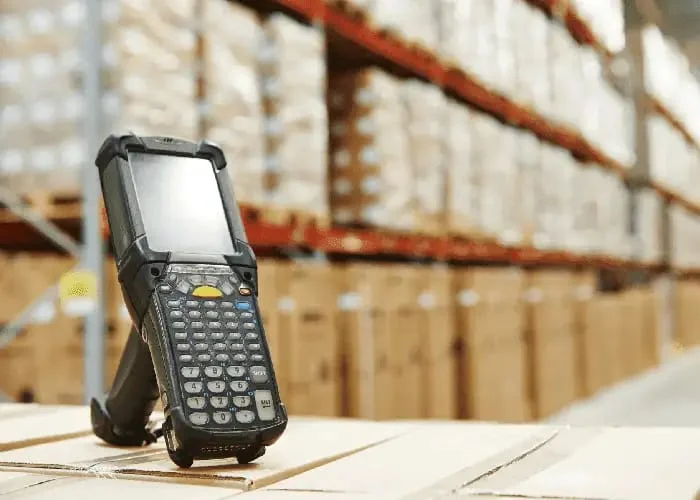
Physical Keypad + Smaller Screen
- Great for older or long-time warehouse users who are familiar with keypad-driven devices.
- Fast, accurate data entry for fields like quantities, lot numbers, or quick numeric input.
- Often preferred in environments where gloves are worn or touch interaction is less practical.
Full Touchscreen Devices
- The industry has shifted strongly toward full touchscreen models.
- Bigger screens mean more real estate for WMS apps, pick lists, and product data.
- Modern workers are used to smartphones, making touchscreen scanners feel natural and easy.
Choosing the right form factor depends on user preference, workflow demands, and the applications in use.
10. Scan Engine Options: Matching Range to Your Warehouse
Scan performance is just as important as durability. Different warehouse tasks require different scan ranges, and modern warehouse scanners offer multiple scan engine options depending on form factor and use case.
Full Touchscreen Warehouse Scanners
These typically offer: – Standard Range scan engines – ideal for close‑up scanning, with read ranges of up to around 1 metre. – Advanced Range / Flex Range scan engines – designed to scan both near and far barcodes. Depending on barcode size and density, these engines can achieve 10 metres or more.
Flex‑range scanners are particularly useful in mixed warehouse environments where operators scan items on carts, shelving, and higher racking without switching devices.
Warehouse Scanners with Physical Keypads
Warehouse scanners with physical keyboards generally provide the widest range of scan engine options: – Standard Range – suitable for close to mid‑range scanning – Advanced Range – extended reach for mid‑level racking – Long Range scan engines – purpose‑built for high‑bay warehouses, with scan distances of up to 16 metres or more
These devices are commonly used in large distribution centres and forklift‑based workflows where long‑distance scanning from ground level is essential.
Choosing the correct scan engine improves read accuracy, reduces operator fatigue, and significantly increases overall warehouse efficiency.
Final Thoughts
Choosing the right warehouse scanner can dramatically improve accuracy, productivity, and device uptime. A rugged design, modern Android OS, strong accessory ecosystem, Wi‑Fi 6E connectivity, hot‑swappable batteries, and long‑term support all contribute to a solution that keeps your warehouse running smoothly.
For more information, contact Track n Trace Solutions and utilize 20yrs + of experience to help you choose your investment wisely!
Need Help Choosing the Right Warehouse Scanner?
At Track n Trace Solutions, we’ve been supplying warehouse scanners across Australia for over 20 years. Whether you need rugged handheld scanners, long-range devices, or a complete warehouse mobility solution, we can help.
- Expert advice based on your workflow
- Access to leading brands
- Local support and service
👉 Call us today to find the right warehouse scanner for your operation.
Email Address: sales@trackntrace.com.au
Contact Number: 1300 808 412
